
Hear them first
Keep the edge
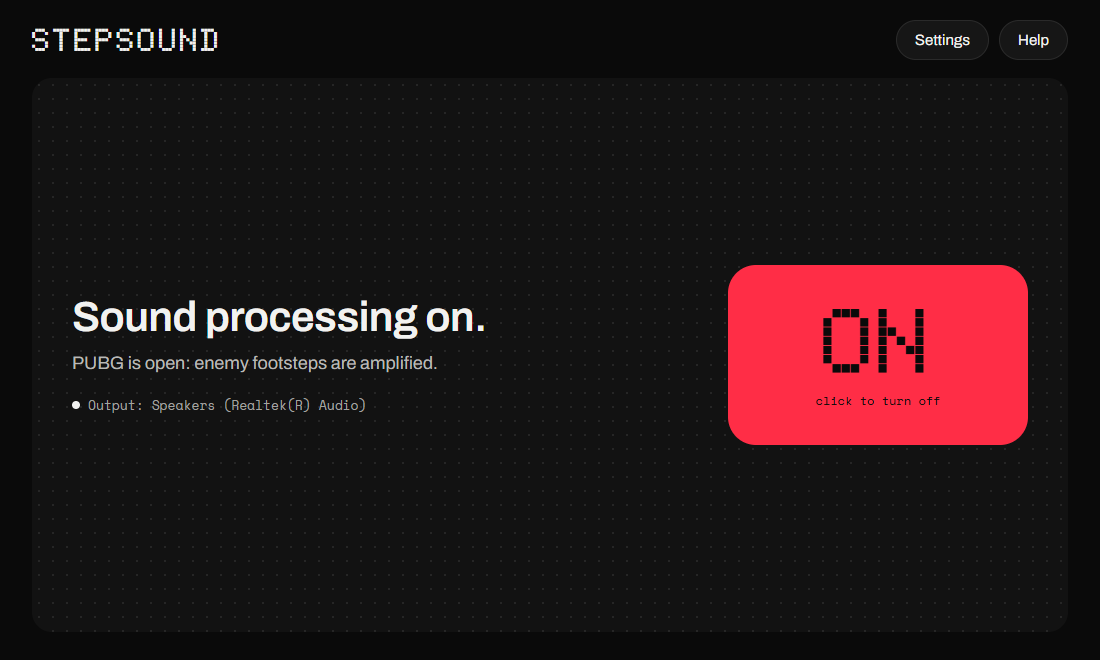
Stepsound amplifies footsteps in PUBG.
It recognizes your own footsteps so it can amplify enemy footsteps even more.
7-day free trial
Illustration of a 12-second recording
From the drop to the last circle
-
0:00
Drop
An enemy lands near you. You hear more clearly which house they're running to.
-
3:40
Loot
Enemy footsteps are amplified, even while you loot.
-
17:15
Fight
In the middle of a fight, you still hear enemy footsteps between the shots.
-
28:50
Last circle
A close step sounds close and a far step sounds far. Stepsound keeps the game's distances.
Nothing to set up
We tuned Stepsound on real match footage: concrete, wood, metal, stone and dirt, walking or sprinting. Launch PUBG and it kicks in by itself. Close the game and your sound is back to normal.
No ban risk
Stepsound works on Windows sound, like your gaming headset's software. It doesn't read PUBG, changes none of its files and sends nothing to it. BattlEye watches the game, and Stepsound never goes inside it.
- PUBGplays its sound
- Windows audiosends it to your output
- STEPSOUNDamplifies footsteps
- Your headsetyou hear them first
No FPS drop
Stepsound is lightweight: it uses 0.1% of your CPU. Your PC keeps its power for PUBG.
- 0%GPU usage
- 0.1%CPU usage
- 0FPS lost
One plan with everything
€4.99 /month
The price of a coffee a week.
- 7-day free trial
- Cancel anytime
- 1 PC at a time, switch when you want
- Every update included
Questions
Another question? Write to support@stepsound.app.
Can I get banned for using Stepsound?
No. Stepsound changes the sound Windows plays, like an equalizer does. It doesn't read or change PUBG, injects nothing and sends no keystrokes to the game.
Will Stepsound lower my FPS?
No. Stepsound is lightweight: it uses 0.1% of your CPU.
Which headsets work?
Any wired or USB headset, and speakers, as long as Windows plays to them. While it runs, Stepsound sets the output to 48 kHz stereo and puts your settings back when it stops.
Windows says “Windows protected your PC”. What do I do?
Windows shows this for new apps it doesn't know yet. Click More info, then Run anyway.
How do I cancel?
In your account, click Cancel subscription. Cancel during the trial and you pay nothing.
Can I use it on two PCs?
On one PC at a time. Sign in on another PC and the first one signs out.
Does it work without internet?
Yes, for 7 days. Stepsound checks your subscription each time you're online.
Does it work with other games?
We tuned Stepsound on PUBG: BATTLEGROUNDS recordings. It turns on when PUBG starts and stays off the rest of the time.